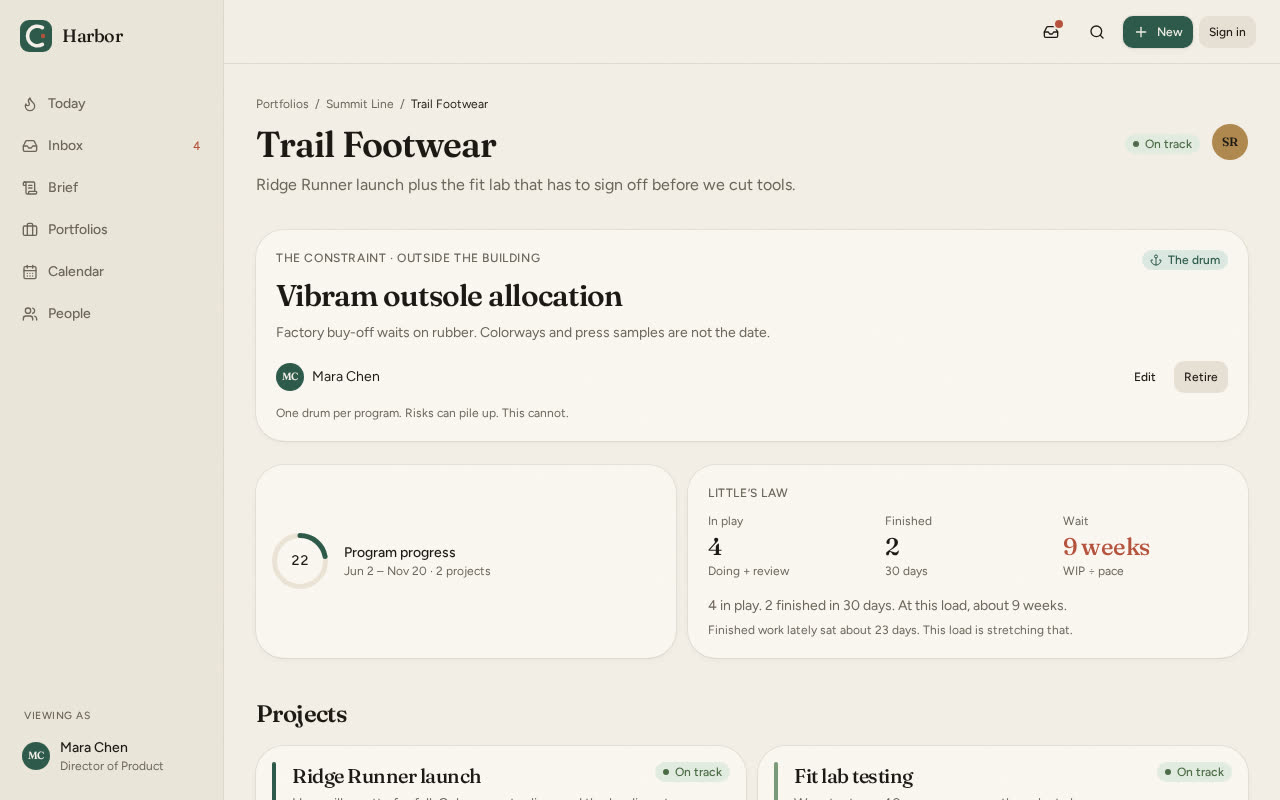
Programs
Catch program risk before a date slips
A program is a set of projects with a real end date. See the constraint and the owners before the date moves.
For 5–20 person teams
Simple portfolio, program, and project management. $49 per workspace, not per seat.
Built for crews that still talk in the hallway.
The demo is open to anyone. A workspace of your own is free for 30 days, no credit card, then $49/month for the whole crew. Or try it in your terminal.
Interactive demo · no signup required
Describe the work in plain language. Harbor proposes the tasks, owners, and dates. Review and approve every task and date. Delete the rest.
Opens the Cedar & Co. demo so you can see a board. No account.
You type
Migrate our claims portal by March with a five-person team
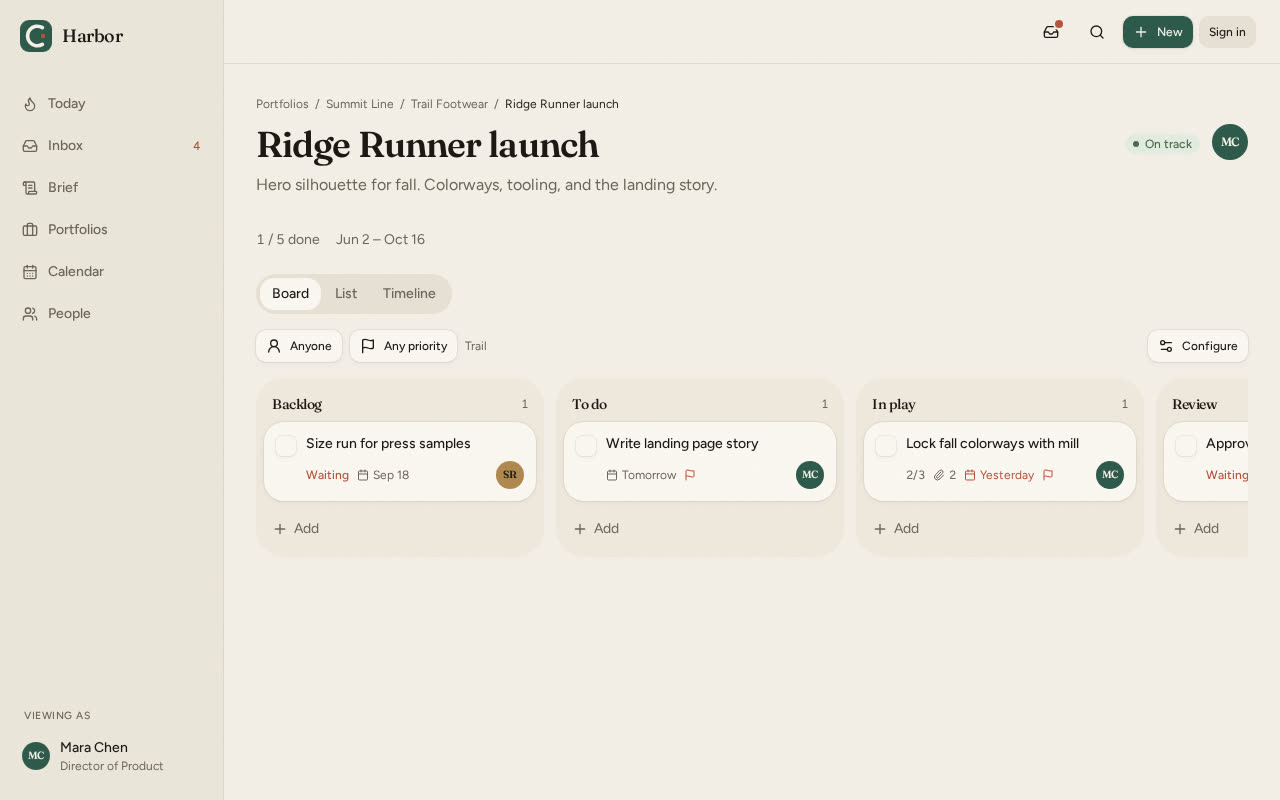
Programs
A program is a set of projects with a real end date. See the constraint and the owners before the date moves.
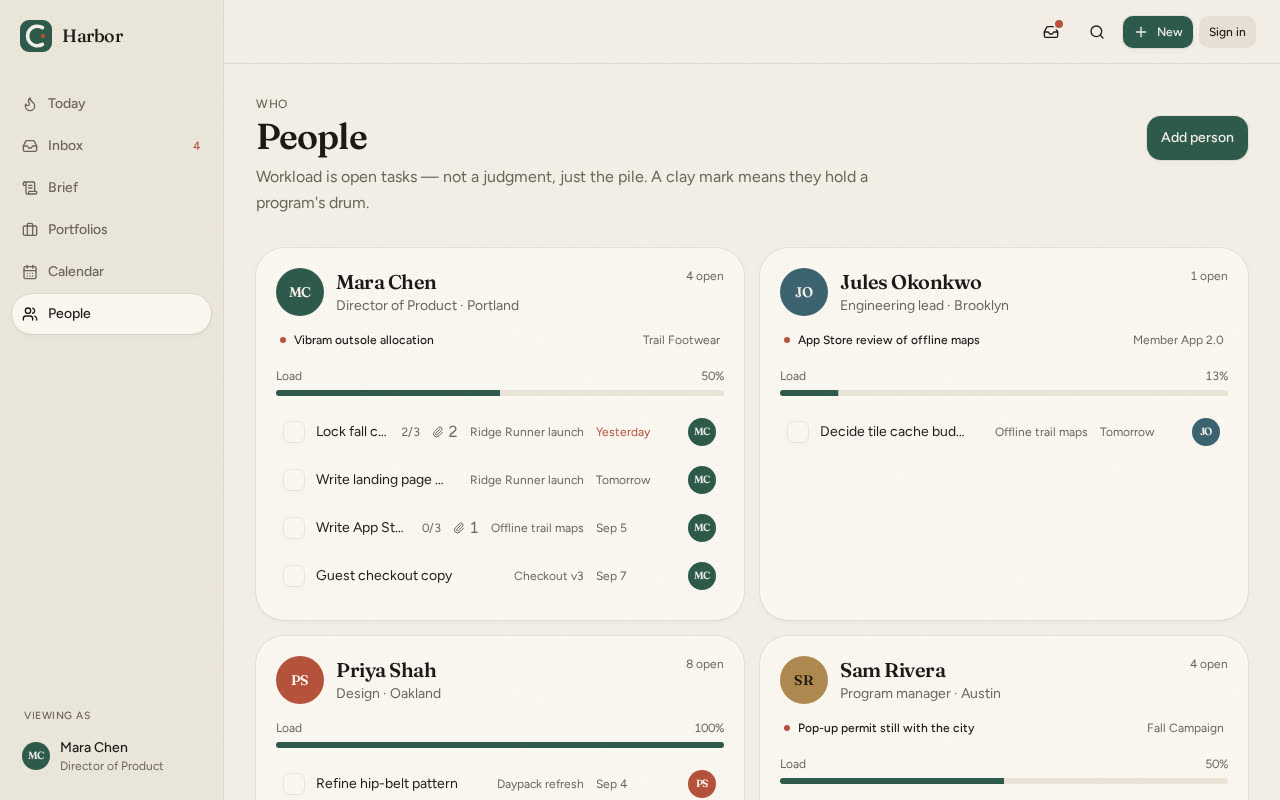
People
See who is holding work and who has room. Assign from the crew, not a pile of tickets.
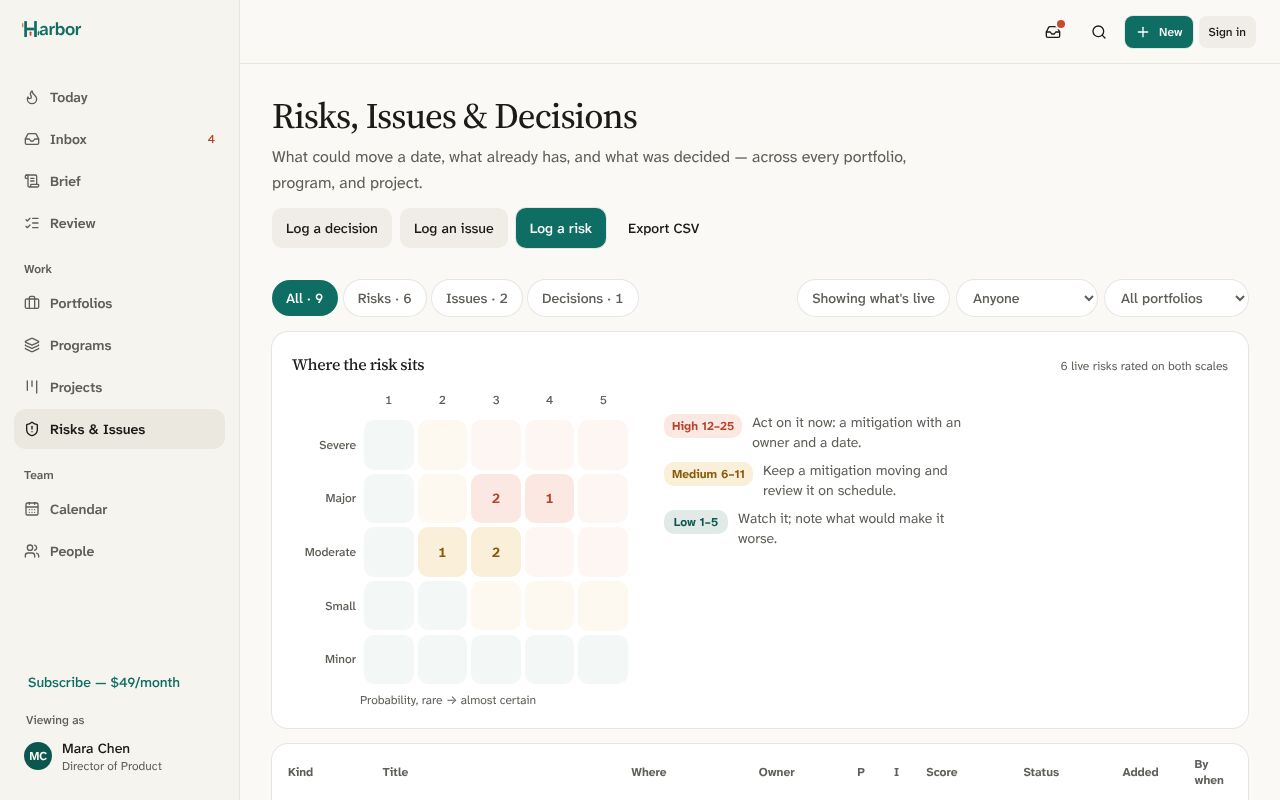
Risks & issues
One register for risks, issues and decisions, scored and owned, with a review date that nags. Each rating change leaves a trend, so a risk that keeps climbing is visible before it lands.
Forecasting
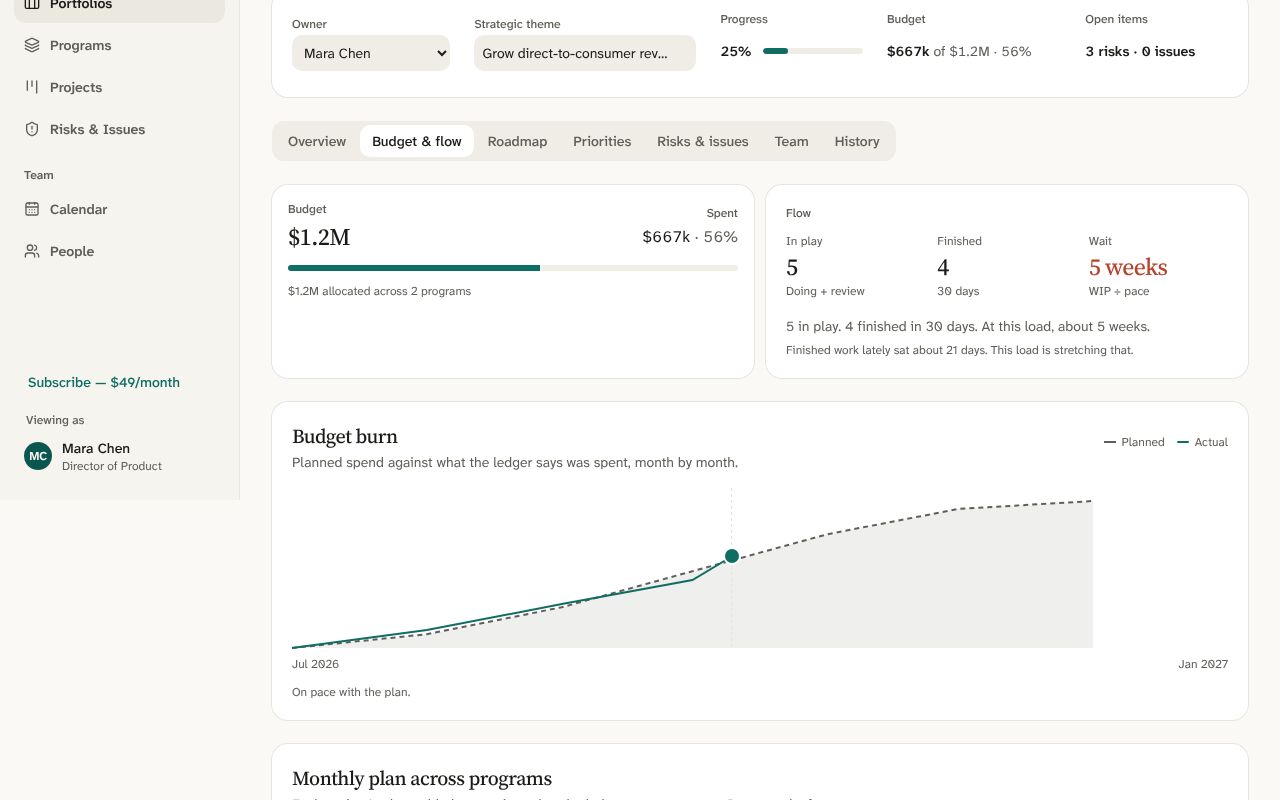
A planned burn line against actual spend to date, and a forecast at completion from the burn so far, so you know you're ahead of budget or behind it before the review, not during it.
Works with Claude and other AI apps
Connect Claude, Claude Code or any app that speaks MCP. It reads your harbors as you and, if you let it, keeps them up to date from the conversation you’re already in.
“What’s late, and what’s on me this week?” “Write up where Footwear stands for Friday.”
Add and update tasks, comment, check in, log a risk. Each change is signed in History: “Aya via Claude”.
Harbor asks you first, every time. Allow reading only if you like. Nothing an app does deletes work, and one click disconnects it.
For people who live in a shell
Three commands and you have a harbor of your own. Boards, risks, people, the roadmap and History run full screen, every field editable from the keyboard and saved as you go. Your crew sees the same harbor on the web.
$ npm install -g @harborppm/cli # Node 22 or later$ harbor signup # make a free account in your browser$ harbor # name your harbor and its first project
harbor login, then harbor.harbor mine, harbor project, harbor done RR-42, each with --json. An agent can set up programs, projects and tasks end to end./.harbor open RR-42 opens a task on the website, and harbor invite brings your crew in by email.The small things a real project accumulates — without a setup project of their own.
Text, number, dropdown, or checkbox fields per project — the ones your work actually needs.
"When priority is set to Urgent, assign it to the lead and leave a note." Simple rules per project, no workflow builder to learn.
A public link for requests — no account needed. Submissions land in the backlog, ready to triage.
A one-page Markdown status per program: health, budget and forecast, milestones, projects, live risks. Paste it into the Friday thread.
Commit the dates once, then see how far each project slipped. The timeline outlines the longest run of dependencies, lag and all.
A doc per project for specs and decisions, plus a read-only link to share a portfolio's health outside the team.
Who changed what, for every portfolio, program and project. Undo takes back your last change, and a deleted project asks first.
Connect the Harbor GitHub App and name a task’s key, like RR-42, in a pull request. It shows on the task, moves it to review, and finishes it when the pull request merges.
Harbor writes a short letter of what’s late, what’s at risk, and who owns the next move. Send it before Monday. Built for crews that still talk in the hallway — so the meeting can be short.
$49/month per workspace
or $490 a year
Keep is the paid plan for a named workspace, after its 30 free days. Whole crew. No seats. Monday and Asana charge per person. Harbor doesn’t.
A workspace of your own with everything in it. No card. The live demo needs no signup at all.
Your named workspace for the crew. Cancel any month. Boards stay through the period you already paid.
Harbor is a small product. Your boards are yours. We don’t sell data or train a Harbor model on it. Draft sends only the sentence you type to Anthropic. Export or deletion: write hello@harborppm.com.
Built by a consultant who spent fifteen years running government programs on tools he didn’t choose. Why Harbor exists